






- 01000502545
-
This email address is being protected from spambots. You need JavaScript enabled to view it.
TS-832PX


Overview
The quad-core 1.7GHz TS-832PX features eight 3.5-inch SATA 6GB/s drive bays, providing huge storage potential for a wide range of applications and everyday usage. With two 10GbE SFP+ and two 2.5GbE LAN ports, the TS-832PX supports next-generation networks for empowering bandwidth-demanding applications and providing smoother file access and sharing. Various PCIe cards are also supported, including QM2 cards that provide M.2 SATA/NVMe SSD caching and Qtier™ auto-tiering storage to boost NAS performance.
1 ) Two 10GbE SFP+ and two 2.5GbE RJ45 network ports empower bandwidth-demanding tasks and accelerate file sharing.
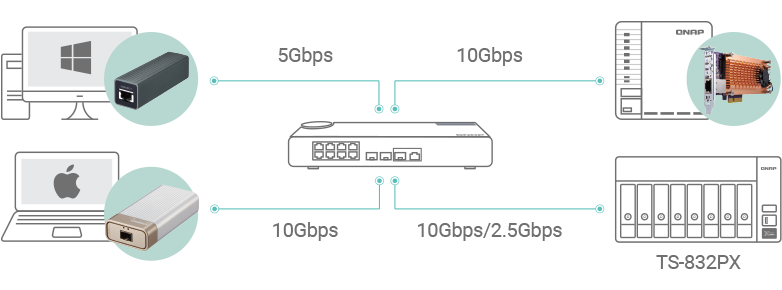
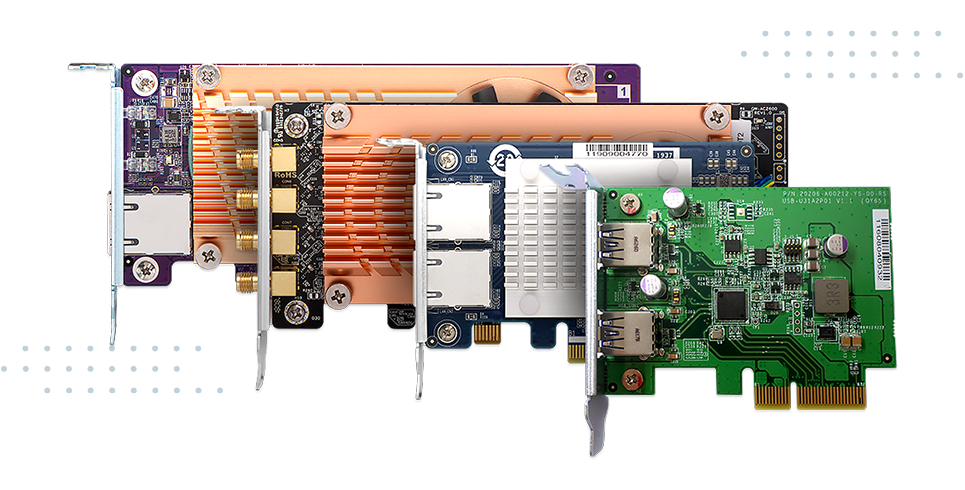
2 ) PCIe expansion allows for installing a QM2 card to add M.2 SSDs for caching, a 10/5GbE network card, or a wireless network expansion card.
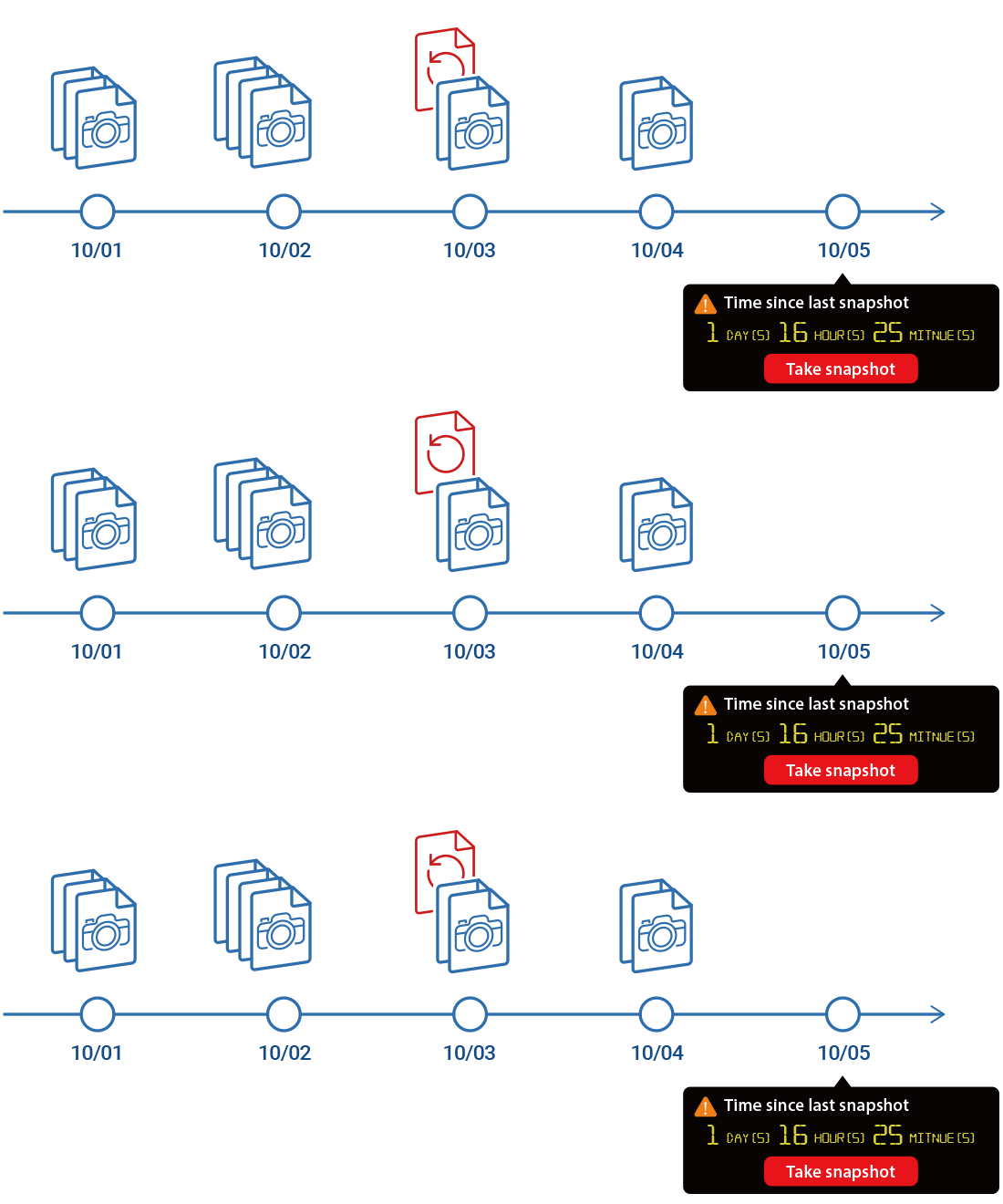
3 ) Snapshots record your system status, allowing you to protect files and data from accidental deletion and malware attacks.
4 ) Cloud storage gateways realize hybrid cloud applications by working with the cache space reserved on NAS to ensure low-latency data access to the cloud.
5 ) Qtier™ auto-tiering technology and SSD caching enable constant storage optimization.
6 ) Increase the storage capacity of the TS-832PX with QNAP TR RAID expansion enclosures or TL JBOD.
Energy-efficient Quad-core Processor
Powered by 64-bit quad-core 1.7GHz ARM Cortex-A57 processor and 4 GB DDR4 RAM (expandable to 16 GB), the TS-832PX features is highly energy efficient without impacting system or application performance.
Virtualization Certifications Supported by TS-832PX

Supports AES-128-GMAC for SMB signing acceleration
SMB signing (also known as security signatures) is a security mechanism in the SMB protocol. For business applications that demand high-level security, SMB signing helps enhance file sharing security by protecting against interception attacks. However, SMB signing can also negatively impact data transmission performance. QTS 5.1.0 supports AES-128-GMAC signing acceleration (only in Windows Server 2022 and Windows 11 clients) that not only greatly increases data signing efficiency over SMB 3.1.1 but also enhances the CPU utilization of the NAS system - providing the best balance of security and performance.
x86 64-bit NAS
2X Faster
AES-CMAC: 619 MB/s Read
AES-128-GMAC: 1238 MB/s Read
ARM 64-bit NAS
10X Faster
AES-CMAC: 68 MB/s Read
AES-128-GMAC: 738 MB/s Read
Test environment :
Crystal Disk Mark 1MB throughput
Client: Windows Server 2022 (AMD EPYC 7232P 3.0GHz, DDR4 128GB) with 10GbE NICs
x86 NAS: TS-h1887XU-RP-E2336-32G, QTS 5.1.0 (GMAC), QTS 5.0.1 (CMAC), Samsung 870 EVO 1TB, RAID 50, onboard Aquantia X550 10GbE NIC
ARM NAS: TS-1232PXU-RP-4G, QTS 5.1.0 (GMAC), QTS 5.0.1 (CMAC), Samsung 860PRO 512GB, RAID 5, onboard Annapurna SFP+ 10GbE NIC
Crystal Disk Mark 1MB throughput
Client: Windows Server 2022 (AMD EPYC 7232P 3.0GHz, DDR4 128GB) with 10GbE NICs
x86 NAS: TS-h1887XU-RP-E2336-32G, QTS 5.1.0 (GMAC), QTS 5.0.1 (CMAC), Samsung 870 EVO 1TB, RAID 50, onboard Aquantia X550 10GbE NIC
ARM NAS: TS-1232PXU-RP-4G, QTS 5.1.0 (GMAC), QTS 5.0.1 (CMAC), Samsung 860PRO 512GB, RAID 5, onboard Annapurna SFP+ 10GbE NIC
High-speed 10GbE and 2.5GbE connectivity
The TS-832PX includes two 10GbE SFP+ and two 2.5GbE LAN RJ45 ports, providing out-of-the-box support for high-speed networking and supporting Port Trunking and Failover to reinforce your network infrastructure. QNAP also provide many other high-speed networking solutions, including 10GbE/2.5GbE managed/unmanaged switches and network adapters, allowing you to build a budget-friendly high-speed network environment.
Extend NAS Functionality with a PCIe Card
With a PCIe Gen 2.0 slot, the TS-832PX provides flexibility in extending NAS functionality and potential applications. To optimize system performance, install a QNAP QM2 card for M.2 SATA/NVMe SSD caching/10GbE connectivity and use with Qtier for optimal system performance. You can also use a QNAP Wi-Fi 6 (802.11AX) network card to create a wireless environment. Additional options include QXG 5GbE/2.5GbE network adapter cards and USB 3.2 Gen 2 (10Gbps) cards. All these options ensure that the TS-832PX can be upgraded to fit future requirements.
Protect Important Data with Snapshots
Snapshots fully record the NAS system state and metadata and can be used to quickly restore files to previously-recorded states if they are accidentally deleted/modified or if the system is compromised by ransomware. QNAP snapshots are block-based and only record modified data. Not only does this save storage space, but also reduces the time required to back up and restore data. The TS-832PX supports up to 256 snapshots per NAS and up to 64 snapshots per volume or LUN.
Multi-Point File Backup, Access, and Sync
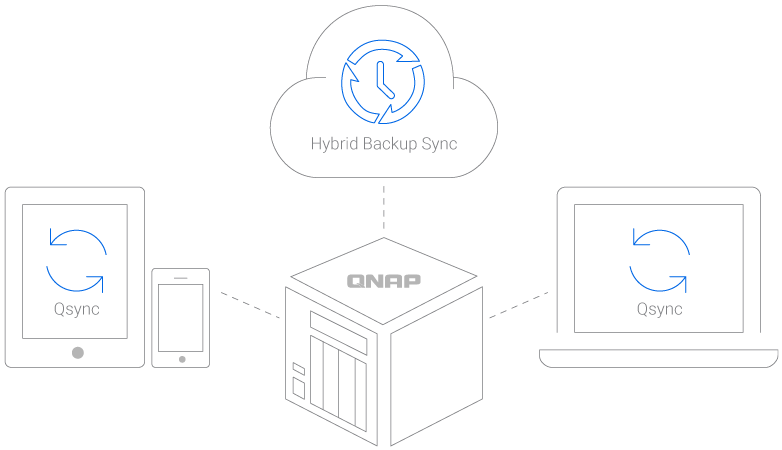
The TS-832PX supports common file sharing protocols (including SMB/CIFS, AFP and NFS) for Windows®, Mac®, and Linux®/UNIX® devices. Coupled with Qsync (a utility that transforms a QNAP NAS into a secure, high-capacity data center for file synchronization) any file uploaded to the TS-832PX becomes available for all linked devices (such as computers, laptops, and mobile devices). Hybrid Backup Sync helps you easily backup or synchronize data on the TS-832PX to another QNAP NAS, remote server, or cloud storage (including Microsoft One Drive®, Google Drive™, and Dropbox®) for disaster recovery.
Smart AI Photo Management
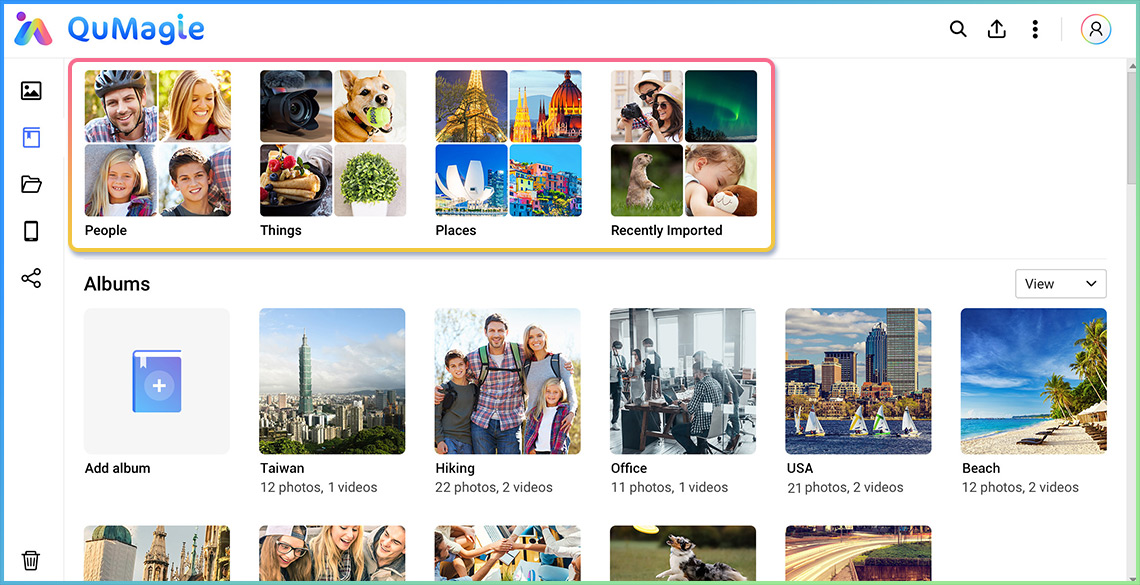
QuMagie integrates QuMagie Core AI image recognition technology for facial recognition, subject identification, and geotagging photos. Similar photos are categorized into People, Places, and Things albums. QuMagie also features a built-in timeline scroll, customizable folder covers, iOS® Live Photo display and a powerful search tool, to provide you with the ultimate photo management and image sharing solution.

Low-latency Access to Cloud Data with Cloud Storage Gateways
By deploying cloud storage gateways and enabling local caching on the TS-832PX, you can seamlessly use the cloud for storage, backup, and data recovery with low-latency access, providing an innovative hybrid cloud experience.

HybridMount
File-Based Cloud Gateway
File-Based Cloud Gateway
Flexibly expand your storage capacity by connecting to cloud storage. You can leverage QTS apps to manage and edit your cloud files or monitor multimedia files. HybridMount is ideal for file server online collaboration and file-level data analysis.

VJBOD Cloud
Block-Based Cloud Gateway
Block-Based Cloud Gateway
VJBOD Cloud supports backing up NAS data to block-based cloud storage. Block-based data transmission uploads random data and large files to the cloud in blocks, and only block-based volume or LUN changes are transmitted. This is ideal for backing up LUN, databases, and confidential files.
Easily find and automatically organize files
The TS-832PX provides greater convenience for managing files. You can quickly find files using Qsirch and auto-archive them with Qfiling.

File search
Qsirch quickly finds images, music, videos, documents, emails, and other files by using keywords, colors and different filters.

Auto archiving
Qfiling automates file organization or recycling based on self-configured rules, greatly improving work efficiency.
Secure remote access to your QNAP NAS
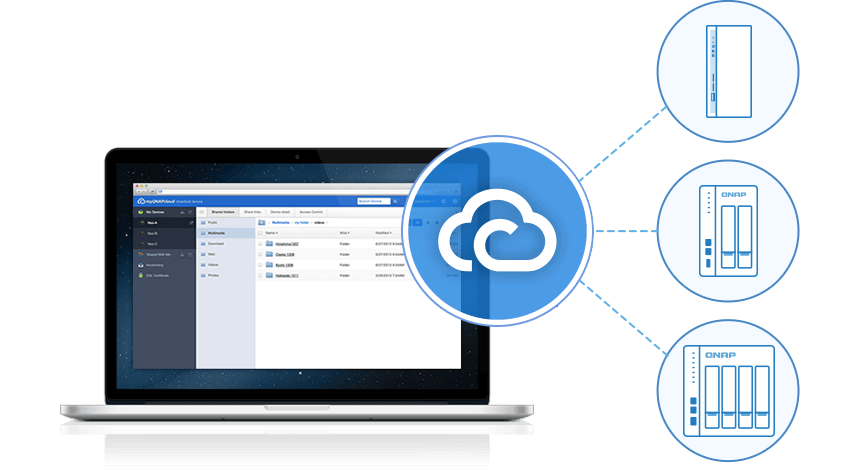
Use myQNAPcloud Link to access, share, download, and manage files stored on an HQ-based NAS via the Internet. QNAP NAS also supports VPN services for remote workers to access the NAS and resources on a private network from the Internet. You can also use QVPN Device Client powered by QNAP's proprietary QBelt protocol to easily connect to your TS-832PX and use measurement tools to know the speed of your VPN connections and connection history.
Flexible and economical storage expansion
QNAP provides several ways to expand the storage capacity of the TS-832PX to accommodate data growth:

Upgrade RAID Capacity
Hot-swap lower-capacity drives with larger-capacity drives to expand the TS-832PX.
Attach Expansion Enclosures
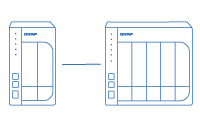
Connect two expansion enclosures (4-bay TR-004, 2-bay TR-002) or one 8-bay TL-D800C, 4-bay TL-D400S, 8-bay TL-D800S JBOD and use the Storage & Snapshots Manager to handle NAS capacity expansion.
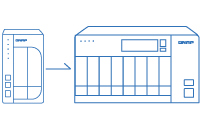
Migrate to a New NAS
Install your NAS hard drives into a larger QNAP NAS and retain all your existing data and configurations.
Multiply Your Productivity

QVR Pro
Build a secure surveillance environment without any extra software needed. Provides free embedded channels and you can also purchase QVR Pro licenses to deploy a large-scale surveillance network.

Notification Center
Consolidates all QTS system events, alerts, and notifications for easy NAS management, keeping you always informed of your NAS status.

Security Counselor
A security portal for checking weaknesses and providing recommendations for enhancing NAS security. It also integrates anti-virus and anti-malware scanning software.
| NAS | |
|---|---|
| CPU Model | AnnapurnaLabs Alpine AL324 ARM® Cortex-A57 4-core 1.7GHz processor |
| CPU Architecture | 64-bit ARM |
| Hardware Encryption Engine | ✓ |
| Memory | 4 GB SODIMM DDR4(1 x 4 GB) |
| Drive Bays | 8 |
| Compatible Drive Type | 3.5-inch bays: 3.5-inch SATA hard disk drives 2.5-inch SATA hard disk drives 2.5-inch SATA solid state drives |
| Hot Swappable Drive | ✓ (Not supported M.2 SSD) |
| USB 3.2 Gen 1 Port | 3 |
| System Fan | System fan: 2 x 120mm, 12VDC CPU fan: 1 x 60mm |
| Power Supply Unit / Adapter | 250W, 100-240V AC, 50/60Hz, 3.5A |
| Total Memory Slots | 1 x SODIMM DDR4 |
| Maximum Memory Capacity | 16 GB (1 x 16 GB) |
| M.2 Drive Slots | Optional via a PCIe adapter |
| PCIe Expansion | 1 Slot 1: PCIe Gen 2 x2 PCIe bandwidth limitations will restrict the NAS 10GbE performance. Card dimensions for PCIe slot:210 x 68.9x 24.76 mm / 8.27 x 2.71 x 0.97 inches. |
| Form Factor (RU) | Tower |
| Floating Point Unit | ✓ |
| Flash Memory | 512 MB (Dual boot OS protection) |
| SSD Cache Acceleration Support | ✓ |
| Wake on LAN (WOL) | ✓ Only the 2.5GbE port |
| Jumbo Frame | ✓ |
| LED Indicators | System Status, LAN, USB, HDD1~8 |
| Buttons | Power, Reset, USB Copy |
| Operating Temperature | 0 - 40 °C (32°F - 104°F) |
| Storage Temperature | -20 - 70°C (-4°F - 158°F) |
| Relative Humidity | 5-95% RH non-condensing, wet bulb: 27˚C (80.6˚F) |
| Power Consumption: Disk Standby Mode | 27.949 |
| System Warning | Voice prompts or Buzzer |
| Max. Number of Concurrent Connections (CIFS) - with Max. Memory | 700 |
| Kensington Security Slot | ✓ |
There are no reviews for this product.

QSW-3216R-8S8T
Price: 36,700.00EGP
TS-873A
Call for Price:
QSW-308-1C
Price: 11,100.00EGP
QSW-M2108-2S
Call for Price:
QSW-1108-8T
Price: 9,000.00EGP
QSW-M408S
Call for Price:
QSW-1105-5T
Price: 6,000.00EGP
TS-473A
Price: 50,400.00EGP
TS-873A + QSW-1105-5T Bundle Pack
Price: 70,000.00EGP
TS-673A + QSW-1105-5T Bundle Pack
Price: 60,000.00EGP
TS-464
Price: 40,000.00EGP
TS-832PXU-RP
Price: 80,000.00EGP
TS-832PXU-4G
Price: 61,000.00EGP
TS-433-4G
Price: 25,000.00EGP
TS-855eU-8G
Price: 108,000.00EGP
TS-1232PXU-RP
Price: 100,000.00EGP
RackStation RS2825RP+
Call for Price:


